Programmes
Programmes are where you organise the training your clients follow.
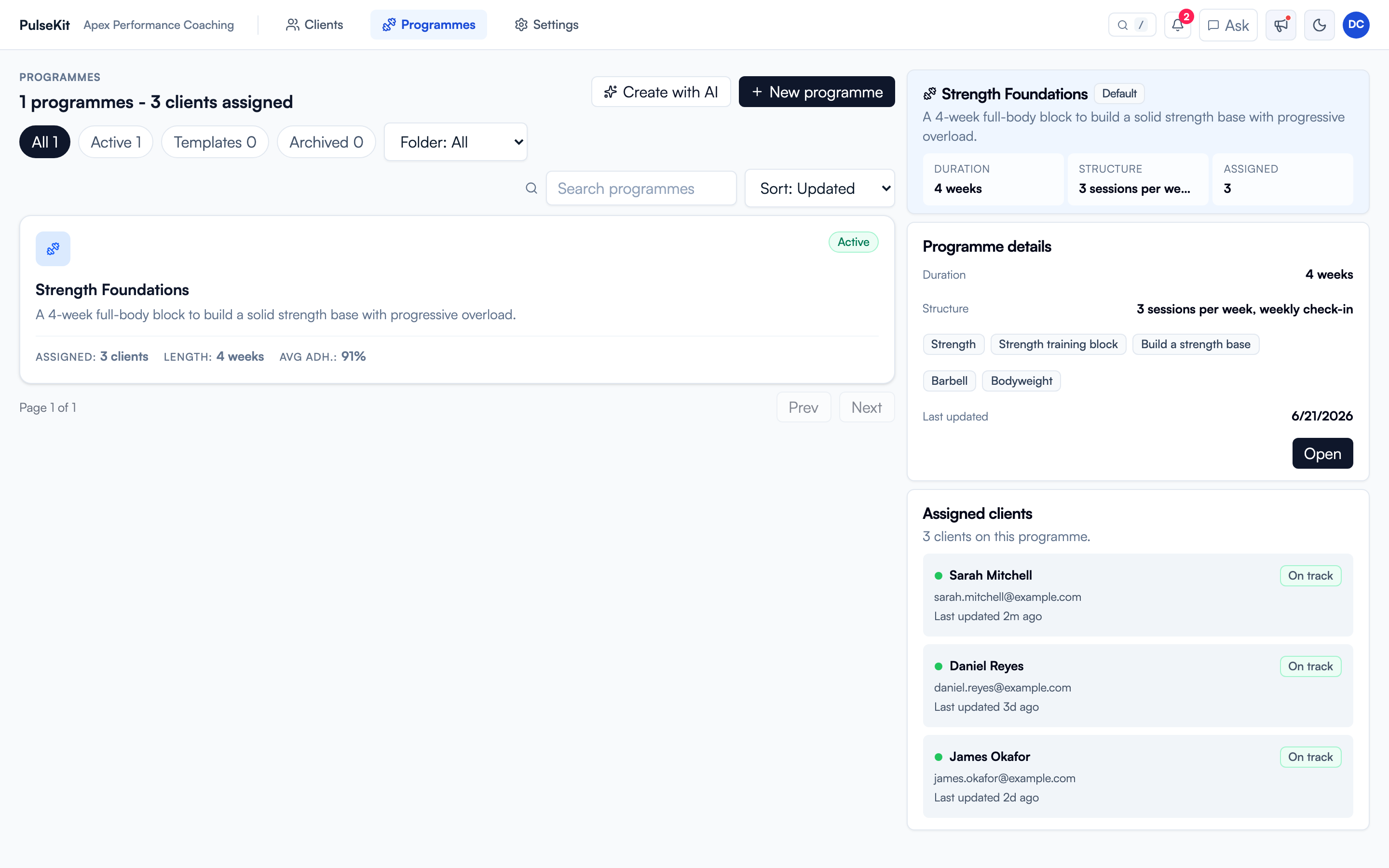
The left side lists your programmes with how many clients are assigned, the length, and average adherence. Select one to see its details on the right: duration, weekly structure, focus tags, and every client currently following it. Use + New programme to build one from scratch, or Create with AI to draft a structure you can edit.
When to use programmes
Use programmes when you want to:
- Create a repeatable training structure.
- Adjust a client's current plan.
- Reuse a plan for another client or group.
- Keep sessions clear and easy for clients to follow.
Programme checklist
Before assigning a programme, check:
- The goal matches the client.
- Training days are in the right order.
- Exercise names are clear.
- Sets, reps, rest, and notes are easy to understand.
- Any substitutions or restrictions are included.
Keeping plans tidy
Use clear names so programmes are easy to find later. If a plan is no longer current, archive it rather than leaving it mixed in with active work.